


Main Menu
Copied! Paste it into your favorite AI (Ctrl/Cmd+V)
Main Menu
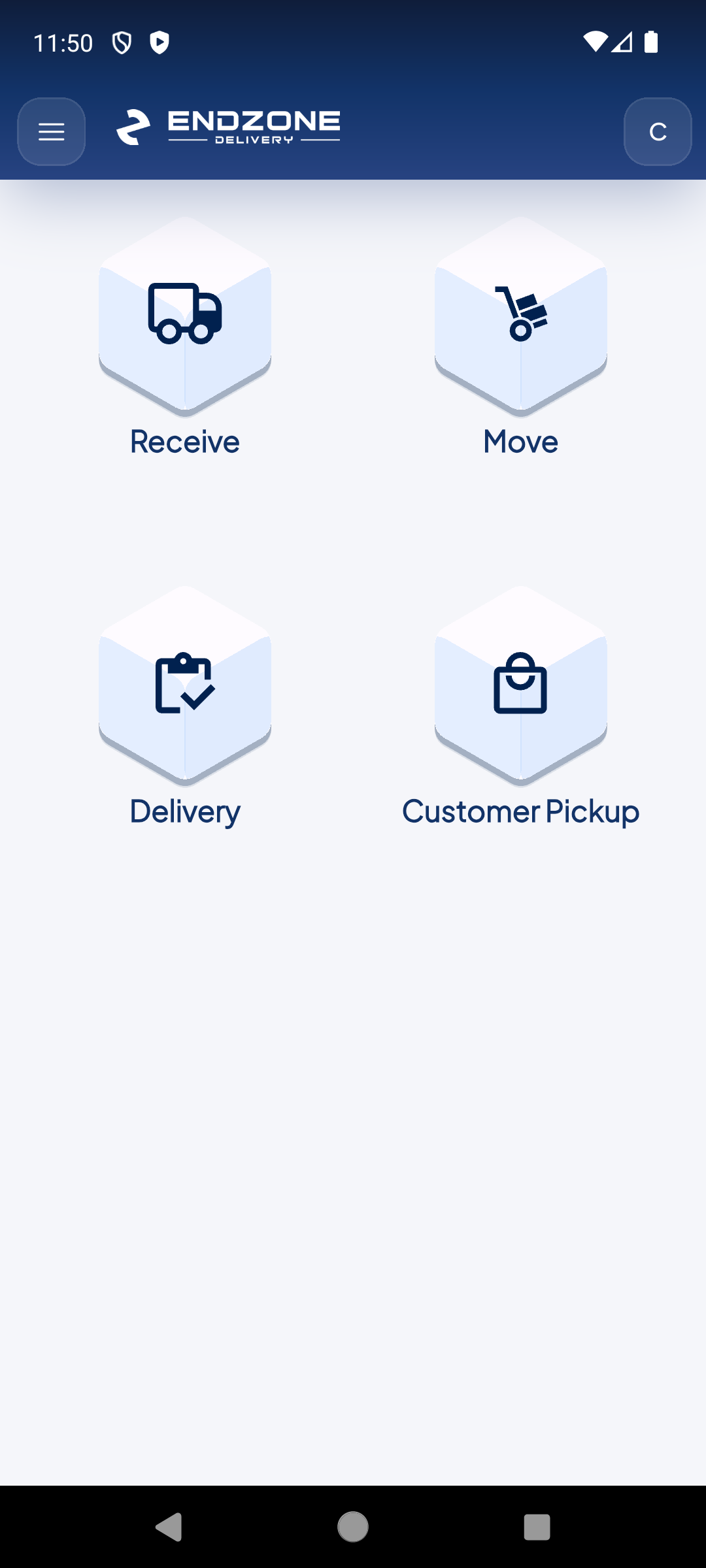
The EndZone Point main menu features a 4-module grid covering the entire last-mile package lifecycle. From here you can access each operation with a single tap.
1
4-module grid
The main menu shows the 4 operation modules in a grid: Receive, Move, Delivery and Customer Pickup. Tap any to enter directly.
2
Avatar — Profile & settings
Your name initial in the upper right corner opens the profile menu: language, Replay Tour, app version and sign out.
3
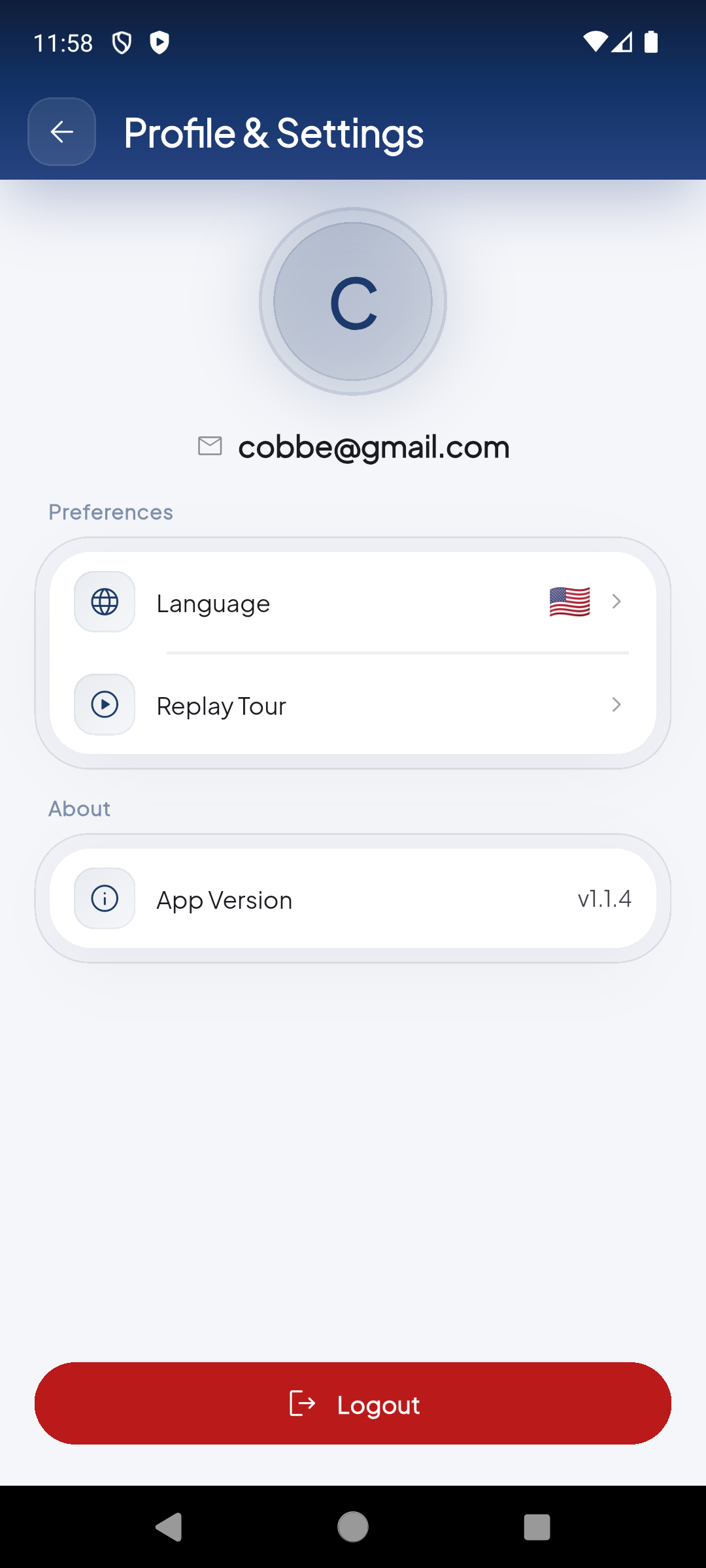
Profile & Settings
From here you can change the app language, replay the onboarding tour, see the installed version or sign out.
Demo completed!
1 of 3
Available modules
Section titled “Available modules”| Module | Icon | Function |
|---|---|---|
| Receive | 📥 | Receive packages via Manifest ID, Carrier Tracking or manually |
| Move | 🔄 | Consolidate and move packages between slots or LPNs |
| Delivery | 🚚 | Manage pending and completed deliveries |
| Customer Pickup | 🤝 | Process customer pickups at the warehouse |
Profile access
Section titled “Profile access”In the upper right corner you’ll see your avatar (your name initial). Tapping it gives access to:
- Language — Change the app language
- Replay Tour — Replay the onboarding tour
- App Version — View the installed version (currently v1.1.4)
- Logout — Sign out