



Delivery — Package Deliveries
Delivery — Package Deliveries
The Delivery module centralizes all of the day’s deliveries. You can view pending packages, access each shipment’s details, contact the recipient, and confirm or cancel deliveries.
Path: Home → Delivery
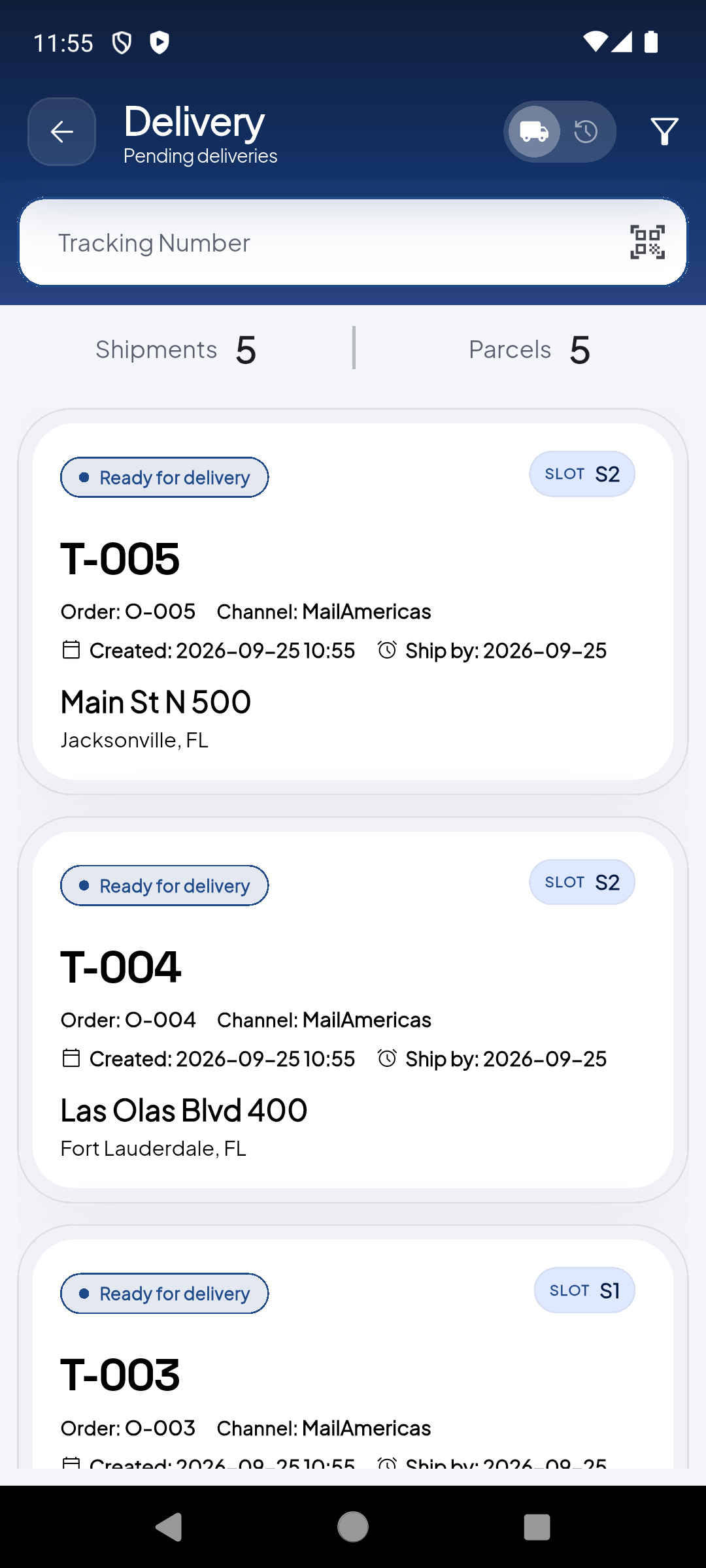
List of 'Ready for delivery' packages with Shipments and Parcels counters. Each card shows tracking, order, channel, dates and address.
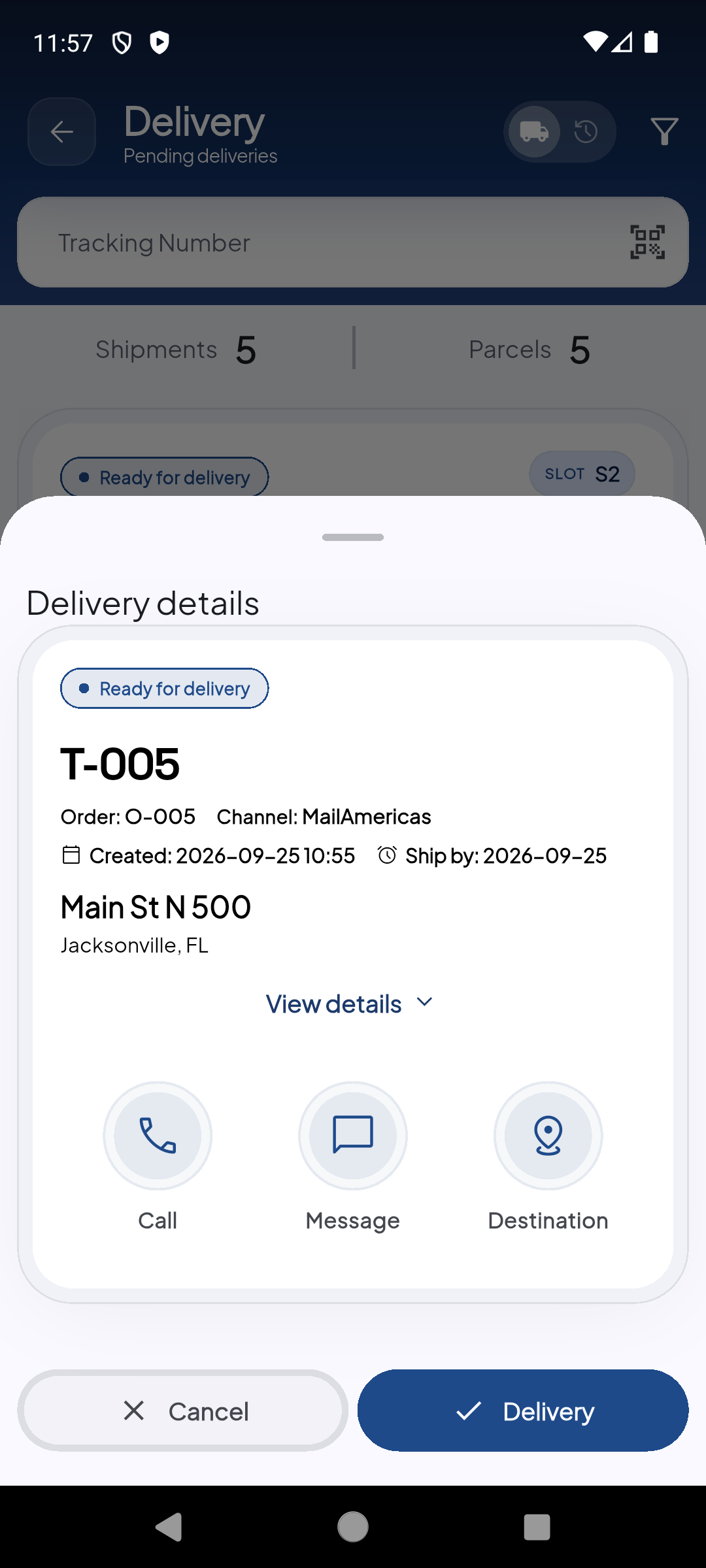
Tapping a card opens a modal with actions: View details, Call, Message, Destination, Cancel and Delivery.
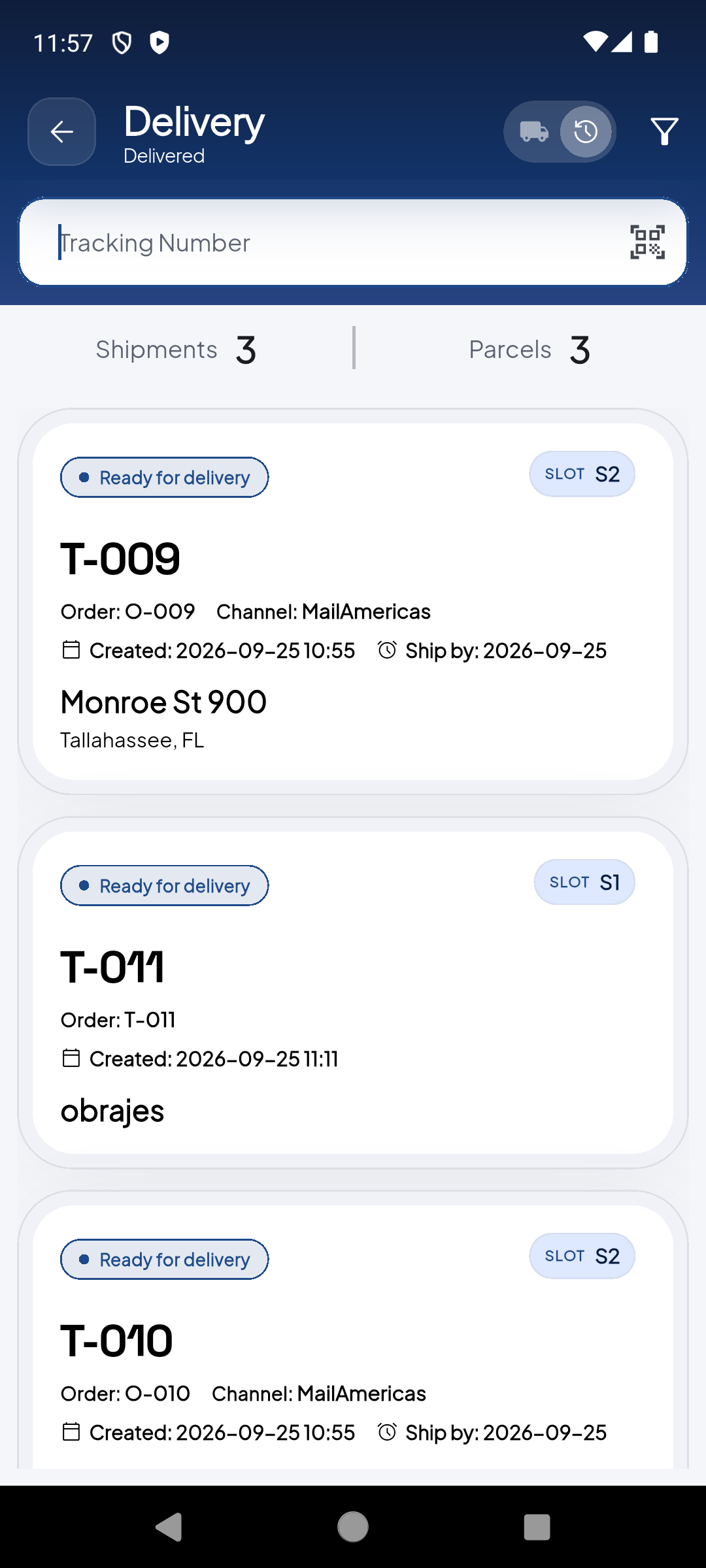
Tap 'Switch to Delivered' to see the history of completed deliveries for the current period.
Demo completed!
Pending Deliveries
Section titled “Pending Deliveries”The default view shows Pending deliveries — packages ready to be delivered.
| Element | Description |
|---|---|
| Shipments | Total number of pending shipments |
| Parcels | Total number of pending individual packages |
| Tracking Number | Search field to filter by tracking number |
| Cards | Each package shows status, slot, tracking, order, channel, dates and address |
Each delivery card displays:
| Field | Example |
|---|---|
| Status | Ready for delivery |
| SLOT | B1 |
| Tracking | T-007 |
| Order | O-007 |
| Channel | MailAmericas |
| Created | 2026-09-29 15:28 |
| Ship by | 2026-09-25 |
| Address | Clematis St 700, West Palm Beach, FL |
Detail Modal
Section titled “Detail Modal”Tapping a delivery card opens an action modal:
| Action | Description |
|---|---|
| View details | See the package’s full information |
| Call | Call the recipient by phone |
| Message | Send a text message to the recipient |
| Destination | Open the address in maps/GPS |
| Cancel | Cancel this delivery |
| Delivery | Confirm the package delivery |
When you tap Delivery, the package is marked as delivered and disappears from the pending list. Make sure you are at the correct location before confirming.
Completed Deliveries
Section titled “Completed Deliveries”Tap “Switch to Delivered” in the upper right corner to view the history of completed deliveries for the current period.