


Login & Access
Copied! Paste it into your favorite AI (Ctrl/Cmd+V)
Login & Access
EndZone Point is the last-mile mobile application for warehouse operations. It allows you to receive packages, move them between locations, manage deliveries, and process customer pickups.
Access requirements
Section titled “Access requirements”| Requirement | Detail |
|---|---|
| Platform | iOS (App Store) · Android (Google Play) |
| Current version | v1.1.4 |
| Credentials | EndZone email and password |
| Required permissions | Camera (for scanning), Location (for deliveries) |
Steps to log in
Section titled “Steps to log in”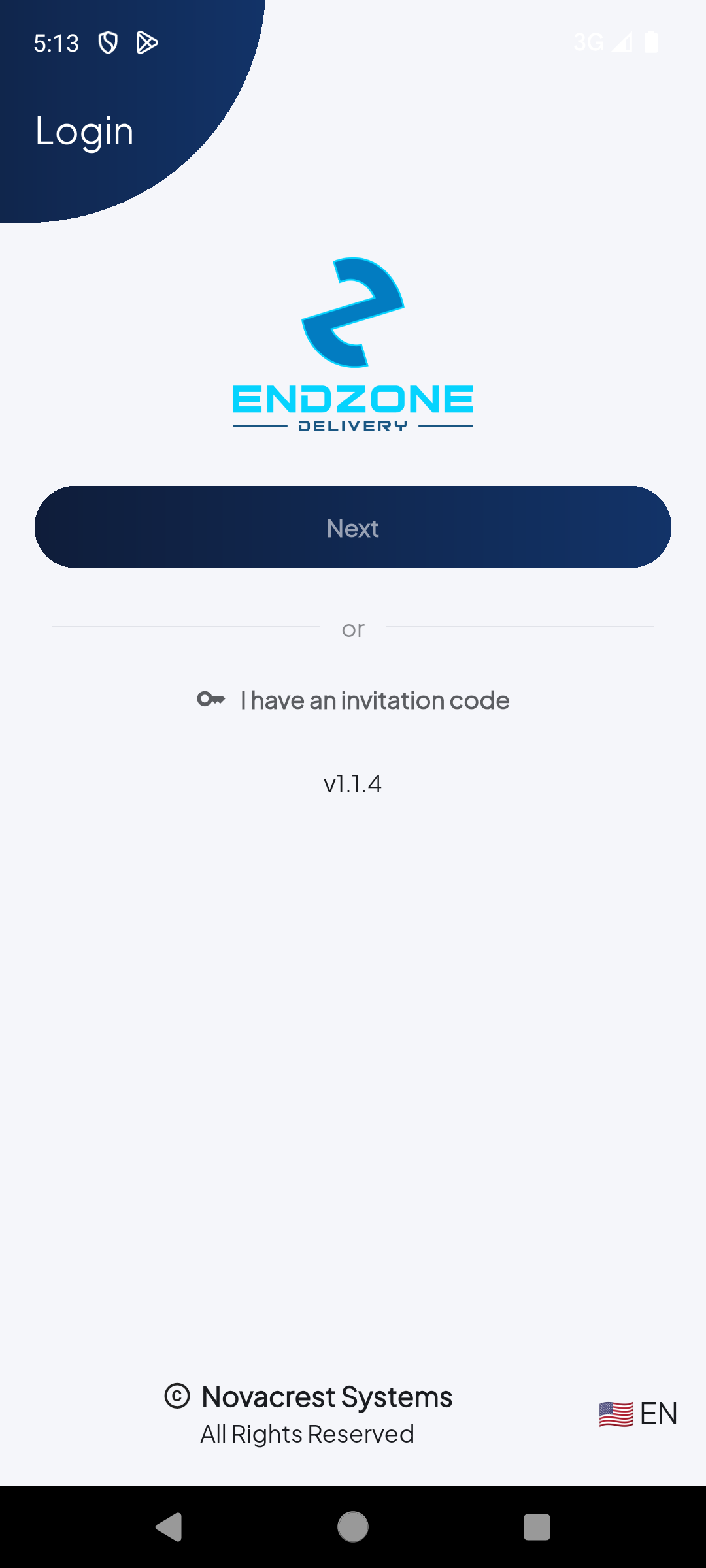
1
Welcome screen
EndZone Delivery welcome screen. Tap 'Next' to proceed to login with your credentials, or use 'I have an invitation code' if you received an invitation code.
2
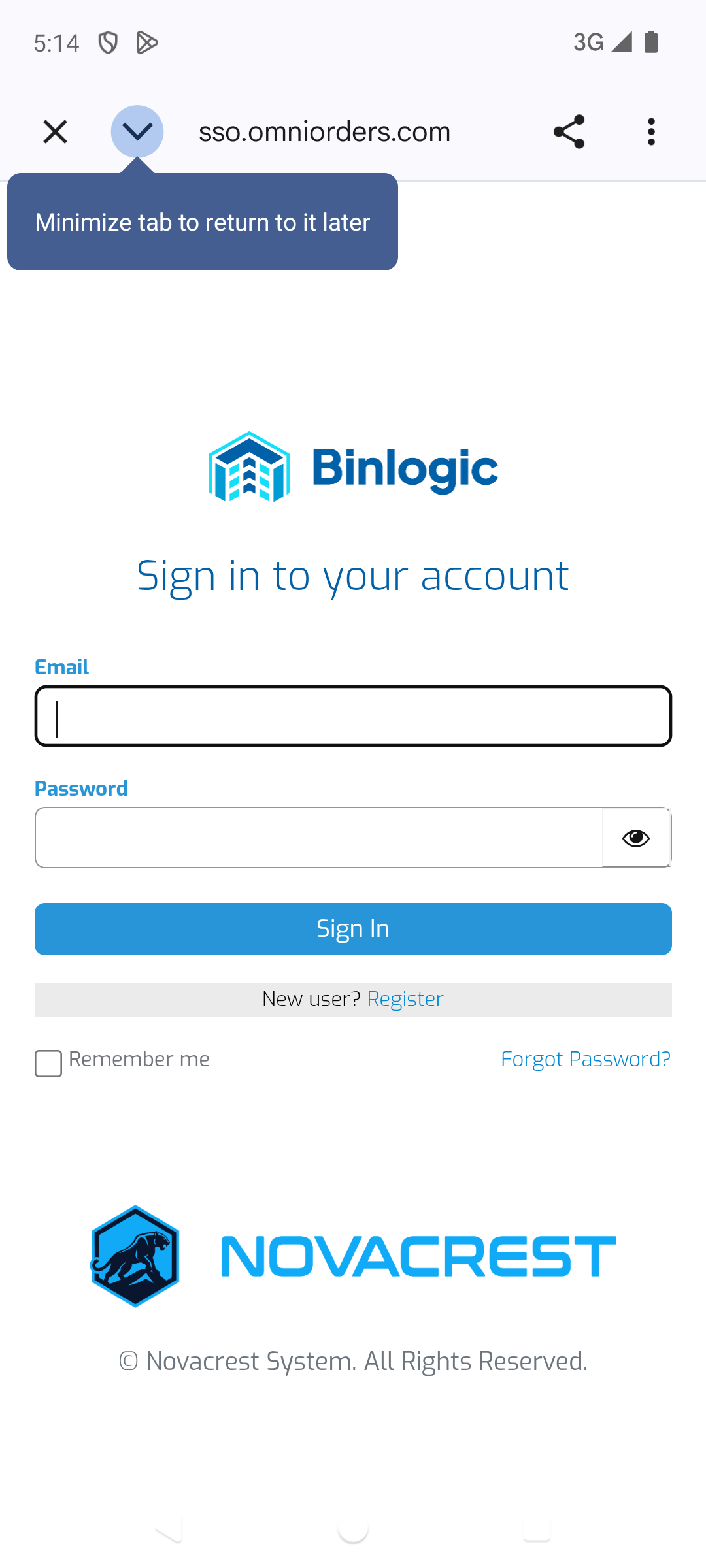
Enter your credentials
Enter your EndZone Email and Password. Tap 'Sign In' to access. Use 'Forgot Password?' if you need to reset your credentials.
3
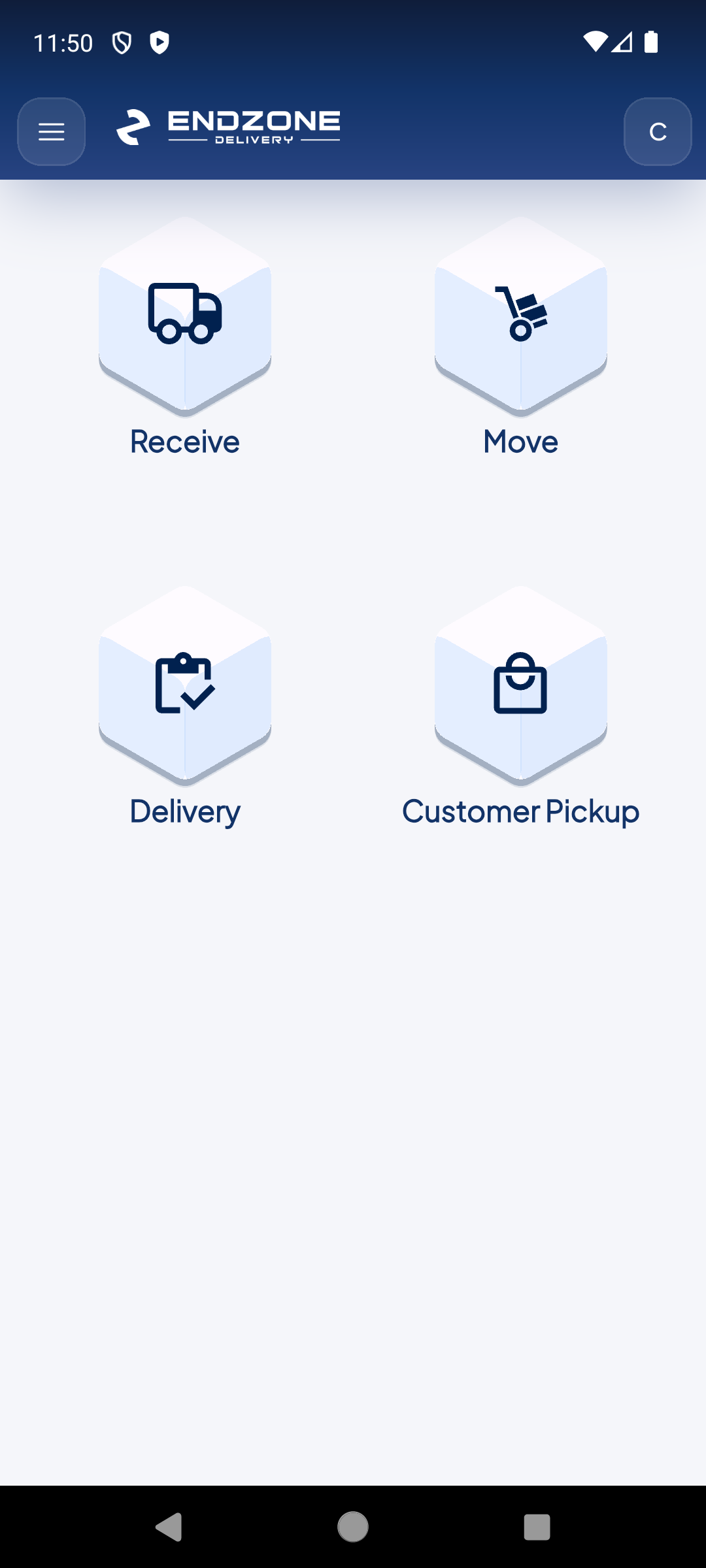
Main Menu
After a successful login, you'll see the main menu with the 4 modules: Receive, Move, Delivery and Customer Pickup.
Demo completed!
1 of 3
- Download the app from the App Store (iOS) or Google Play (Android) by searching “EndZone Point”
- Open the application — you’ll see the login screen with the EndZone logo
- Enter your email in the corresponding field
- Enter your password — Your EndZone account credentials
- Tap “Login” — You’ll be redirected to the main menu
Main menu after login
Section titled “Main menu after login”After successfully logging in, you’ll see the main menu with the 4 operation modules:

| Module | Function |
|---|---|
| Receive | Receive packages via Manifest ID, Carrier Tracking or manually |
| Move | Consolidate and move packages between slots or LPNs |
| Delivery | Manage pending and completed deliveries |
| Customer Pickup | Process customer pickups at the warehouse |